
High Quality JPG to PNG Converter Online Without Quality Loss
How to converting JPG to PNG improve the image quality?
- Drag and drop your JPG image into our free converter tool.
- Choose PNG as your output format. Unlike JPG, PNG uses lossless compression, meaning it preserves all the original data without blurring edges or adding artifacts.
- Download your new PNG file. You’ll see sharper edges, solid colors, and a transparent background.
Secure & Easy JPG to PNG Converter

Perfect Quality
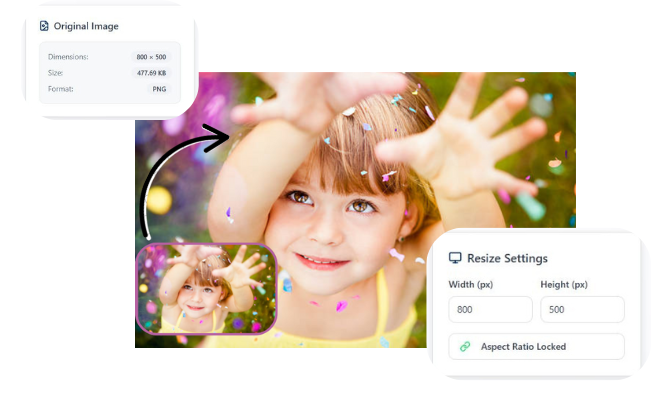
Resize your images without losing clarity or sharpness.

Easy to Use
Upload, adjust size, and download in just a few simple steps.

Privacy Guaranteed
Your images are processed securely and never stored or shared.
Do JPG to PNG converters reduce image quality?
Converting JPG to PNG is useful because PNG uses lossless compression, which means it keeps the image quality intact without adding any blur or distortion. It’s also a better format for editing, especially for logos, graphics, screenshots, and images that need sharp edges or clear text. Another major advantage is transparency support PNG allows transparent backgrounds, while JPG does not making PNG the preferred choice for designers, editors, and anyone who needs clean, editable images.
Convert JPG to PNG
Convert JPG to PNG is a simple online tool that lets you change your images from JPG format into high-quality PNG files in seconds. PNG uses lossless compression, which means your images stay clear, sharp, and detailed without losing quality. People use JPG to PNG converters when they need transparency, better editing control, or improved graphics for logos, icons, and digital designs. This tool is fully secure, as your images are processed safely without storing or sharing your files. It also works instantly on any device, giving you fast, hassle free results. With higher image clarity, transparency support, and safe processing, visitors get a reliable and smooth conversion experience every time.
Frequently Asked Questions
1. Why should I convert a JPG file to PNG?
PNG offers lossless quality, sharper details, and supports transparency, making it ideal for graphics, logos, and editing.
2. Does converting JPG to PNG reduce image quality?
No, PNG keeps the original clarity because it uses lossless compression, so the image stays sharp.
3. Can a PNG file have a transparent background after conversion?
Yes, once converted to PNG, you can edit the image to remove or add transparent backgrounds.
4. Is it safe to convert my JPG images online?
Yes, reliable converters process your files securely and do not store or share your uploads.
5. Does converting a JPG to a PNG improve the image quality?
Not exactly. Converting a JPG to a PNG cannot recreate the original detail lost by JPG compression. However, it prevents future quality loss. JPGs lose a tiny bit of quality each time they are edited and saved. Once you convert to PNG a lossless format the image quality is locked in and won’t degrade further, preserving the current state perfectly.
6. Will the file size become larger when I convert JPG to PNG?
Yes, almost always. PNG files are typically larger than JPGs because they use lossless compression to retain all image data, while JPG uses “lossy” compression that discards some data to create a smaller file. The increase in size is the trade-off for perfect preservation.
7. Can I convert a PNG back to a JPG with this tool?
Absolutely! Our converter is versatile and supports conversion both from JPG to PNG and from PNG back to JPG, giving you the flexibility to choose the right format for your project.
8. How fast is the JPG to PNG conversion process?
Conversion usually takes just a few seconds, depending on your file size and internet speed.
Leave a Reply