
Crop Image
Simple, fast, and free online image cropping
Upload Your Image
Drag & drop an image here or click to browse
Crop Your Image
Your Cropped Image
Online Image Crop JPG, PNG, and WebP Images in Seconds
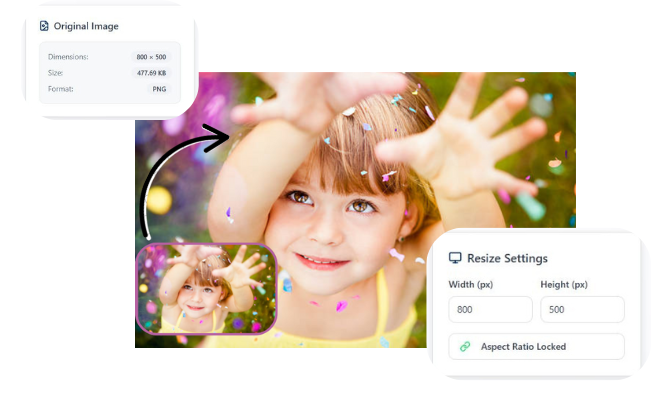
How do I crop JPG or PNG images without losing quality?
- Select and upload your JPG or PNG file to the free online image cropping.
- Use the cropping tool to select the area you want, maintaining the aspect ratio and desired size.
- Save your cropped image instantly without losing sharpness, colors, or resolution.
Crop JPG, PNG, and WebP Images in Seconds

Perfect Quality
Resize your images without losing clarity or sharpness.

Easy to Use
Upload, adjust size, and download in just a few simple steps.

Privacy Guaranteed
Your images are processed securely and never stored or shared.
How do I adjust image dimensions using a free online cropper?
Quick & Simple Online Photo Cropping Tool
Quick & Simple Online Photo Cropping Tool makes editing images fast, easy, and accessible for everyone. With this tool, you can crop JPG, PNG, and WebP images in seconds without losing quality. It’s perfect for social media, websites, eCommerce, and blogs, allowing you to adjust dimensions to fit any platform. The intuitive interface requires no software installation, so you can crop images directly in your browser. You can also maintain aspect ratio, select custom sizes, and preview changes live before downloading. Whether for professional or personal use, this tool helps you create perfectly cropped images quickly and efficiently.
Frequently Asked Questions
1. How can I crop my images online for free?
Simply upload your image, select the area to crop, and download your edited photo instantly no software required.
2. Does cropping images online reduce quality?
No, reliable online tools preserve sharpness, colors, and resolution while cropping images.
3. Can I crop multiple images at once?
Some online tools offer batch cropping, allowing you to crop several images quickly and efficiently.
4. Which file formats can I crop online?
Most tools support JPG, PNG, GIF, and WebP formats for cropping and resizing.
5. Is it safe to crop images online?
Yes, trusted platforms use secure uploads and automatic deletion to protect your files.
6. Can I crop images for social media or eCommerce?
Absolutely! You can crop images to fit Instagram, Facebook, Shopify, or website dimensions perfectly.
7. How do I maintain the aspect ratio while cropping?
Most online croppers let you lock the aspect ratio so your image doesn’t get distorted.
8. Do I need to install any software to crop images online?
No, installation is required everything happens directly in your browser.
9. Why should I use an online image cropper instead of desktop software?
It’s faster, free, accessible anywhere, and allows you to crop images without complicated software or technical skills.
Leave a Reply