
The Simple Guide to Reducing Image KB for Websites & Social Media

How to Reduce Image KB Size Without Losing Quality
Image Resize KB: Reduce Image File Size for Free

Perfect Quality
Resize your images without losing clarity or sharpness.

Easy to Use
Upload, adjust size, and download in just a few simple steps.

Privacy Guaranteed
Your images are processed securely and never stored or shared.
Compress & Resize Images to Lower File Size Instantly
- Choose the photo you want to resize from your Windows computer. You can also drag and drop it directly into the tool.
- Enter your desired width and height or choose from preset sizes for web, social media, or print.
- Click the “Resize” button, preview the result, and download your perfectly resized image instantly.
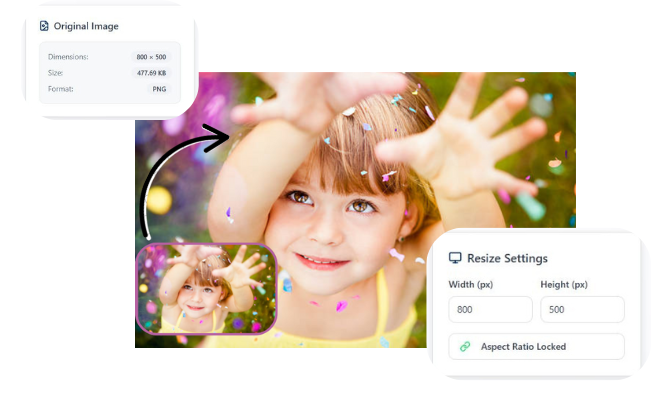
Reduce Image File Size for Free with Image Resize KB
Reduce your image file size for free with our powerful Image Resize KB tool, designed to optimize your photos without compromising quality. This essential solution helps you compress JPG, PNG, and other formats to meet platform specific requirements while maintaining excellent visual clarity. Easily resize images to reduce KB size for faster website loading, smoother social media uploads, and efficient storage management. Our intelligent compression technology ensures your images remain sharp and professional while significantly decreasing file size. Perfect for photographers, bloggers, and social media managers who need quick, reliable image optimization. Streamline your digital workflow with this user friendly tool that delivers professional results instantly.
Frequently Asked Questions
1. How can I reduce my image file size without losing quality?
Use our tool which employs smart compression algorithms to reduce KB size while preserving visual quality. You can also adjust the quality slider, convert to efficient formats like WebP, and avoid enlarging small images to maintain clarity.
2. What’s the difference between resizing pixels and reducing KB?
Resizing pixels changes the image dimensions (e.g., 2000×2000 to 1000×1000), while reducing KB decreases the file storage size. Our tool does both simultaneously, optimizing your images for both display and performance.
3. What are the optimal KB sizes for web images?
For websites, aim for 100-200 KB for large banner images and 50-100 KB for regular product photos. Social media platforms typically accept 100-500 KB depending on the platform and image type.
4. Which image formats give the best quality with smallest KB size?
WebP typically offers the best compression-to-quality ratio, while JPEG is widely compatible with good compression. PNG is best for images requiring transparency but results in larger file sizes.
5. Why is my resized image still too large in KB?
This usually happens when resizing with high quality settings or using formats like PNG. Try lowering the compression quality slightly or converting to JPEG/WebP for better size reduction.
6. Can I batch resize multiple images to reduce their KB size?
Yes! Our tool supports batch processing – simply upload multiple images and set your desired KB size or compression level to optimize all your images simultaneously.
Leave a Reply