
Resize image for YouTube thumbnail size (1280×720 px)
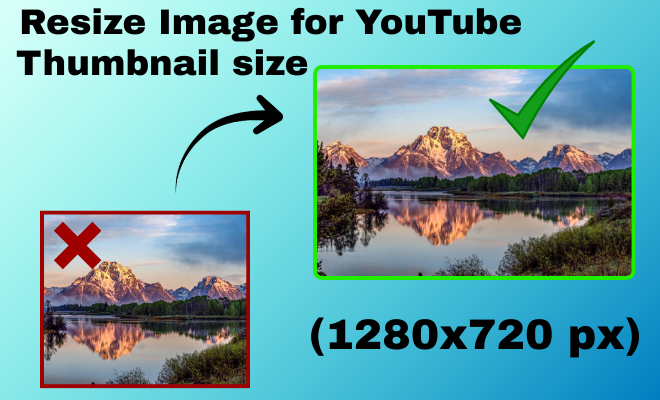
How do I resize images to 1280×720 pixels for YouTube?
- Upload your photo from your device in JPG, PNG, or WebP format. The tool loads your image instantly while keeping the original quality intact.
- Select the recommended YouTube thumbnail size of 1280×720 pixels. The resizer automatically adjusts the aspect ratio for a perfect fit.
- Click download to save your high quality YouTube thumbnail image. Your thumbnail is now optimized and ready to upload without distortion.
Resize YouTube Thumbnail Images in Seconds

Perfect Quality
Resize your images without losing clarity or sharpness.

Easy to Use
Upload, adjust size, and download in just a few simple steps.

Privacy Guaranteed
Your images are processed securely and never stored or shared.
Free Tool to Resize Images for YouTube Thumbnails
Resize Images for YouTube Thumbnails easily using a free tool to resize images for YouTube thumbnails without losing quality. This online image resizer helps you create perfectly sized thumbnails that meet YouTube’s recommended 1280×720 pixel dimensions. It ensures your thumbnails look sharp, clear, and professional on all devices. The tool supports JPG, PNG, and WebP formats for maximum flexibility. With a simple upload and resize process, anyone can create high quality thumbnails in seconds. All images are processed securely, keeping your files private and protected. No software installation or account registration is required. Using this free YouTube thumbnail resizer helps improve click through rates and boosts your channel’s visual appeal.
Frequently Asked Questions
1. What is the recommended size for YouTube thumbnails?
The recommended YouTube thumbnail size is 1280×720 pixels with a 16:9 aspect ratio. This size ensures clear and sharp display on all devices.
2. How can I resize images for YouTube thumbnails online?
You can upload your image to an online YouTube thumbnail resizer. Select the correct dimensions and download the resized image instantly.
3. Is the YouTube thumbnail resizer free to use?
Yes, the tool is completely free with no hidden charges. You can resize unlimited images without signing up.
4. Will resizing affect thumbnail image quality?
No, the tool maintains high resolution while resizing. Your thumbnails remain sharp, clean, and professional looking.
5. Which image formats are supported for YouTube thumbnails?
The tool supports JPG, PNG, and WebP formats. These formats work best for high quality YouTube thumbnails
6. Is it safe to upload images to the tool?
Yes, all images are processed securely. Files are not stored permanently, ensuring full privacy.
7. Can I resize thumbnails on mobile devices?
Yes, the tool works smoothly on mobile phones and tablets. No app installation is required.
8. Can I crop images while resizing thumbnails?
Yes, you can adjust and crop images to fit the thumbnail area. This helps keep important elements centered and visible.
9. Why is resizing thumbnails important for YouTube?
Properly sized thumbnails improve clarity and click through rates. They help your videos look professional and attract more viewers.
10. How fast is the YouTube thumbnail resizing process?
Resizing is completed within seconds after upload. Even large images are processed quickly.
Leave a Reply