
Easy Image Resizing for JPG, BMP, GIF, and PNG Formats
How do I reduce the file size of JPG, BMP, GIF, or PNG images without losing quality?
Simple Tool to Resize JPG, BMP, GIF, PNG Photos for 100% Free

Perfect Quality
Resize your images without losing clarity or sharpness.

Easy to Use
Upload, adjust size, and download in just a few simple steps.

Privacy Guaranteed
Your images are processed securely and never stored or shared.
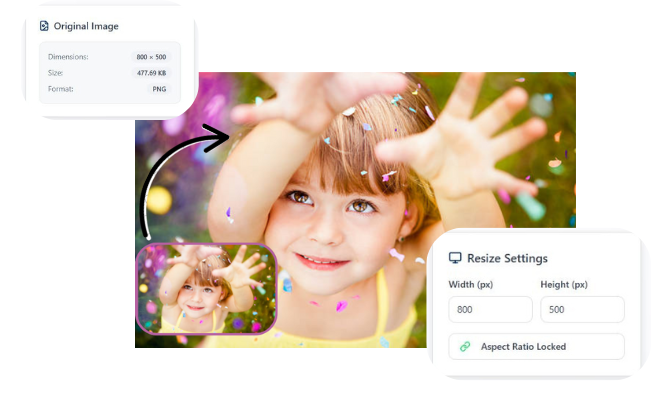
How do I resize a BMP, JPG, GIF, or PNG file to specific width and height?
- Simply drag and drop your JPG, BMP, GIF, or PNG file for a fast and smooth start no sign up or software needed.
- Select custom dimensions or preset sizes to get the exact fit you need while keeping image quality sharp and professional.
- Get your resized image instantly with flawless clarity, ready for websites, social media, eCommerce, or professional use.
High-Quality Resizing for JPG, BMP, GIF, and PNG Images
High Quality Resizing for JPG, BMP, GIF, and PNG Images makes it easy for anyone to adjust image size without losing clarity. You can upload any common format and get a clean, sharp result in seconds. The tool keeps your pictures clear, even when making them smaller or larger. It works perfectly for photos, graphics, logos, and web images. You don’t need editing skills everything is automatic and beginner friendly. Just choose your size, and the tool handles the rest with smart optimization. It also supports fast processing, so you save time on every project. Whether for social media, websites, or print, you always get high quality resized images.
Frequently Asked Questions
1. How do I resize an image without losing quality?
Upload your file, choose your desired dimensions, and the tool automatically optimizes quality.
2. Will my image lose clarity after resizing?
No, the tool uses smart optimization to keep your image sharp and clear.
3. What image formats does this tool support?
It supports JPG, BMP, GIF, and PNG formats for quick and high quality resizing.
4. Is this image resizer free to use?
Yes, the tool is completely free for all supported image formats.
5. Can I resize multiple images at once?
Some versions support batch resizing depending on the platform.
6. Do I need to install any software?
No, installation is required; everything works online in your browser.
7. Can I enlarge small images without them becoming blurry?
Yes, the tool uses enhancement techniques to improve clarity when enlarging.
8. Is my uploaded image safe and private?
Yes, your images are processed securely and are not stored after resizing.
Leave a Reply